Field service ROI calculator
See the money buried in your paperwork.
Move the sliders to match your crew. This shows what EyeOnTask can hand back every month — in reclaimed admin time, extra jobs, and billing that stops slipping through the cracks.
PLAN
Your team
Estimated net savings
After a software cost of $0 — that’s about $0 back for every $1 you spend.
Where the savings come from
These are estimates, not a quote. Every rate is adjustable below — dial them down to your reality and the numbers follow.
Adjust the assumptions — see and change every rate we used▾
We kept the defaults deliberately conservative. Nothing here is hidden: change any number and the estimate above recalculates instantly. If a rate feels too generous for your business, drag it lower.
Four places the hours and dollars leak out
A field service business rarely loses money in one big way. It bleeds a little in four ordinary places every single day — and that’s exactly where a system like EyeOnTask earns its keep.
Your office stops re-typing everything
Scheduling, dispatching, recurring jobs and invoicing run from one place, so the people at the desk spend fewer hours chasing sheets, phones and spreadsheets.
Each tech squeezes in more real work
Smart scheduling, driving directions and an offline mobile app mean less wandering and downtime between stops — which quietly adds jobs to the week without adding staff.
The parts and labour stop slipping off tickets
Digital job cards, quotations and on-site signatures capture the item and the hour that used to vanish on a paper ticket between the van and the invoice.
Less paper, printing and wasted mileage
Go paperless on job cards and reports, and trim the miles that never needed driving. Small line items, but they show up on the fuel and stationery bill every month.
Run these numbers against your own jobs.
The calculator is a starting point. A short walkthrough shows how EyeOnTask fits your trade — HVAC, plumbing, electrical, pest control and more.

VERIZON CONNECT WORK ALTERNATIVE · FORMERLY FLEETMATICS
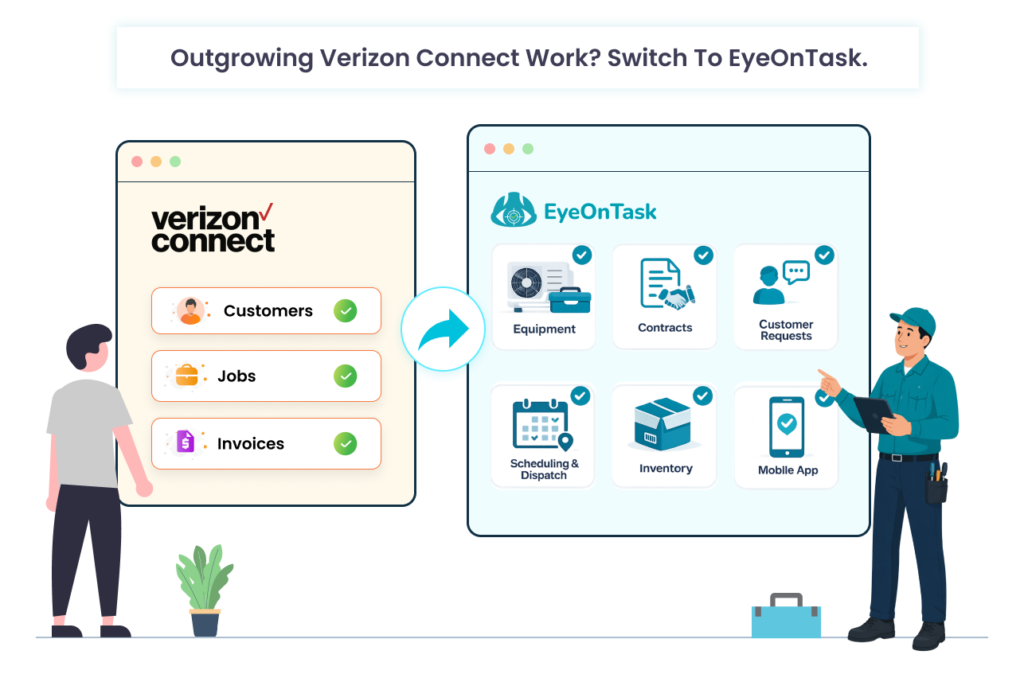
Outgrowing Verizon Connect Work? Switch to EyeOnTask.
Verizon Connect Work — the platform that used to be Fleetmatics Work — handles scheduling and invoicing, but not equipment management, contract management, or customer requests. EyeOnTask does all three, with transparent per-user pricing and no multi-year lock-in.
A straight answer: Fleetmatics isn’t being “shut down.” The brand was folded into Verizon Connect back in 2018, and the legacy Work Classic mobile app was retired on Android in 2023 (users moved to the newer Work Mobile app). Verizon Connect has said it has no plans to sunset the full Work product. If you’re switching, switch because a different tool fits your business better — not because of a shutdown that isn’t happening.
WHY TEAMS RE-EVALUATE
Good reasons to look around — and none of them require a shutdown
These are the themes we hear from service businesses comparing options. Weigh them against your own contract and workflow before you decide.
01. The app forced a change already —
When Work Classic was retired on Android in 2023, teams had to migrate to a new app anyway. If you’re already relearning a tool, it’s a natural moment to compare the whole market.
02. Long contracts, quote-only pricing —
Verizon Connect commonly asks for a multi-year commitment when it supplies hardware, and pricing is quote-based. EyeOnTask publishes plans and starts month-to-month.
03. Support experience matters —
Public reviews of Verizon Connect are mixed on customer service. Support responsiveness is one of the most cited factors when service businesses switch platforms.
EyeOnTask vs. Verizon Connect Work
A fair, feature-level look for field service operations — scheduling, invoicing, mobile, and the commercial terms around them.
Note: Pricing is indicative and based on publicly available information as of 2026 — verify current plans and terms with each vendor. “Not offered” reflects capabilities not advertised as standard in Verizon Connect Work’s published field-service feature set. Verizon Connect Work also bundles GPS/vehicle telematics, which EyeOnTask does not — if hardware fleet tracking is central to you, factor that in.
HOW THE SWITCH WORKS
A migration that runs like a job card — not a crisis
You keep serving customers while we bring your data across. Most teams are live within days, not months.
Export your data
Pull clients, job history, and item/price lists out of Verizon Connect Work into a spreadsheet.
Import & map
The EyeOnTask team maps your records, custom fields, and forms into your new workspace.

Onboard the crew
Field workers install the app, run a test job offline, and confirm scheduling and invoicing flows.
Go live
Switch dispatch over on a chosen date. Your old account stays as a read-only backup until you’re settled.
WHAT YOU GET ON DAY ONE
Everything a service business runs on,
in one place
Smart scheduling & dispatch
Drag-and-drop day/week/month board that shows who’s free and who’s nearest, then notifies the tech instantly.
Quotes, jobs & invoicing
Turn a quotation into a work order in a click, invoice from the field, and take payment on the spot.
Equipment & asset management
EyeOnTask’s standout: track every install, repair and inspection, log ownership and warranty, and see each asset’s live location on a contract — capability Verizon Connect Work doesn’t offer.
Offline field app
Job details, maps, photos, signatures and forms all work with no signal, then sync when you’re back online.
Customer portal & requests
Clients raise service requests, track job status and download invoices from a self-service portal that flows straight into your dispatch board.
Custom forms & audits
Build safety checks and post-job surveys, capture QR/barcode scans, and attach it all to the job automatically.
How Automated Invoicing Helps UAE SMEs Get Paid Faster?
Getting paid on time is one of the biggest challenges UAE SMEs face. Despite a booming economy and strong digital adoption, many small and medium enterprises still struggle with late payments, manual billing errors, and slow cashflow cycles.
Automated invoicing is becoming a game-changer—helping businesses streamline billing, reduce delays, and get paid faster.
This blog explains why automated invoicing is essential for UAE SMEs today, how it works, and the clear financial benefits it delivers.
1. Why UAE SMEs Struggle With Timely Payments
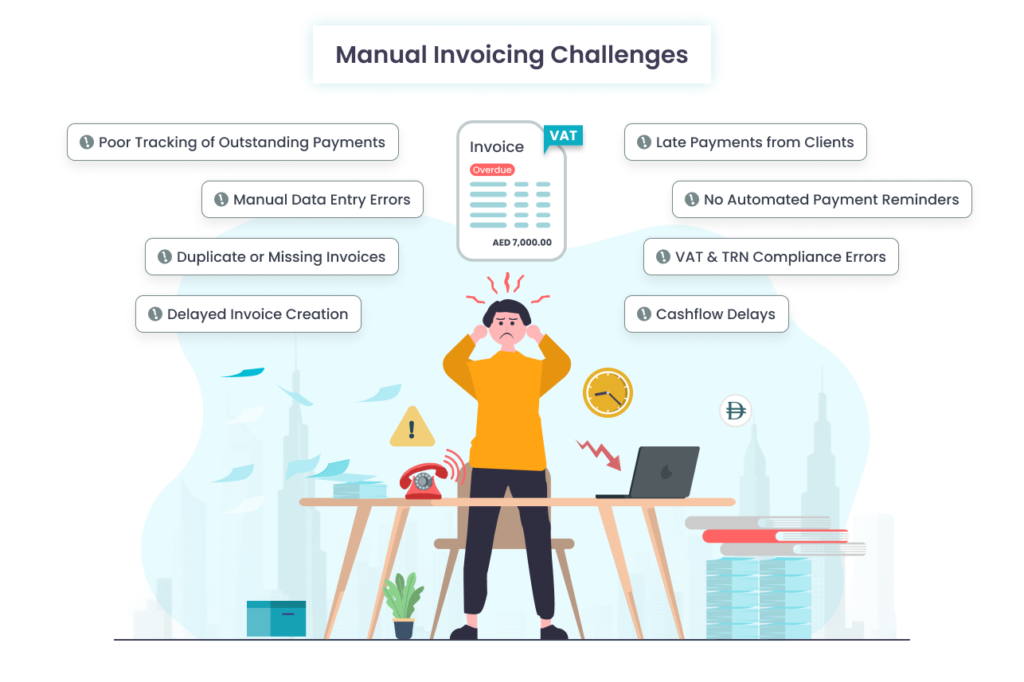
Manual invoicing often leads to:
1.1 Delayed invoice creation
Many SMEs still prepare invoices in Excel or Word. When teams are busy, invoices go out late which results in delaying payments.
1.2 Data entry errors
Wrong amounts, wrong dates, missing TRN numbers (Temporary Reference Number), or VAT mistakes cause disputes and payment rejections.
1.3 Poor tracking of outstanding payments
Chasing overdue invoices and payment collection becomes difficult without a centralized system.
1.4 Lack of payment reminders
Clients often forget payments simply because there is no autoreminder system.
1.5 Compliance challenges
UAE VAT rules require accurate invoicing formats and timelines. Manual methods often fail to meet these standards.
2. What Is Automated Invoicing?
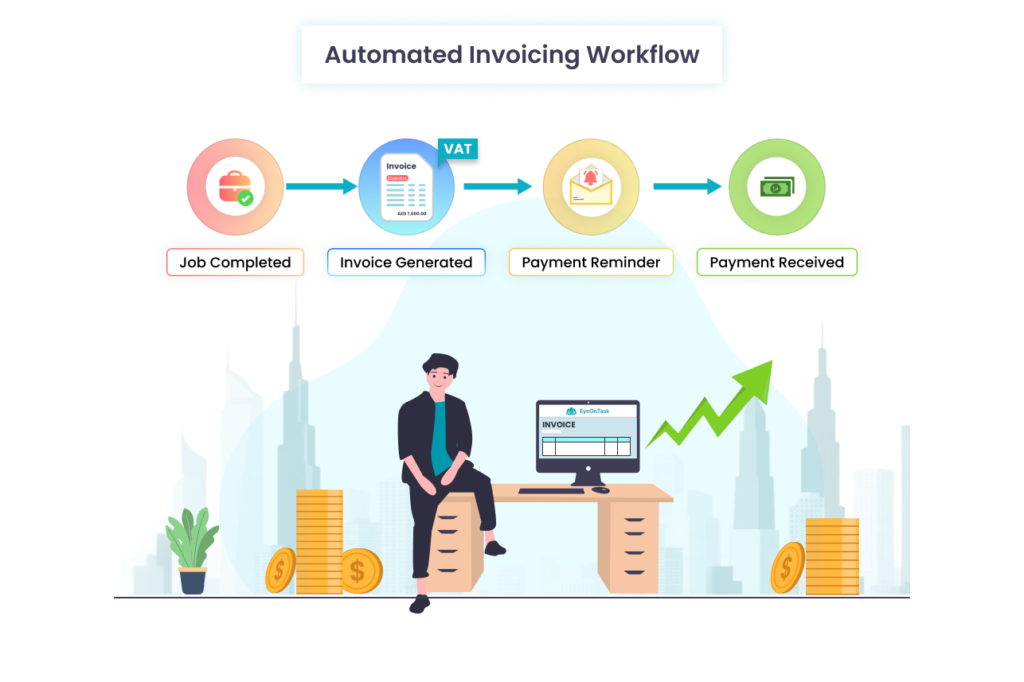
Automated invoicing software generates, sends, tracks, and follows up on invoices without manual intervention.
It connects your:
- Jobs/services completed
- Inventory
- Client database
- VAT settings
- Payment gateways
to create a fully automated cycle where invoices are generated instantly and payments come faster.
3. How Automated Invoicing Helps UAE SMEs Get Paid Faster
3.1 Faster invoice generation
Invoices are created automatically based on:
- Completed jobs or services
- Recurring contracts
- Time logs
- Product/part usage
This removes delays and ensures invoices are sent the same day work is completed.
3.2 Reduction in human errors
Automation eliminates common mistakes such as:
- Mis-typed amounts
- Wrong VAT calculations
- Missing customer details
- Incorrect dates
Accurate invoices = fewer disputes = faster payments.
3.3 Automated reminders for overdue invoices
The software automatically sends:
- Payment reminders
- Follow-ups
- Overdue alerts
without staff involvement.
Clients receive structured, professional reminders that nudge them to pay on time.
3.4 Real-time payment tracking
SMEs can see:
- Who has paid
- Who is overdue
- Which invoices are pending
- Upcoming recurring billing
This helps business owners stay proactive instead of reactive.
3.5 Multiple payment options
Modern invoicing tools integrate:
- Credit/debit cards
- Bank transfers
- Payment links
- Apple Pay / Samsung Pay (common in the UAE)
- Online gateways like Stripe, PayFort, PayTabs
When clients have easy payment options, they pay faster.
3.6 Compliance with UAE VAT rules
Automated systems ensure invoices include:
- TRN
- VAT breakdown
- Proper invoice formatting
- Correct timestamps
This reduces the risk of payment rejection or delays due to compliance issues.
3.7 Recurring invoicing for contract-based businesses
For SMEs with Annual Maintenance Contract (AMC), subscription, or service-based billing, automated systems can:
- Auto-generate invoices monthly/yearly
- Auto-charge stored cards (if allowed)
- Renew contracts
This ensures zero billing gaps.
4. Benefits for UAE SMEs
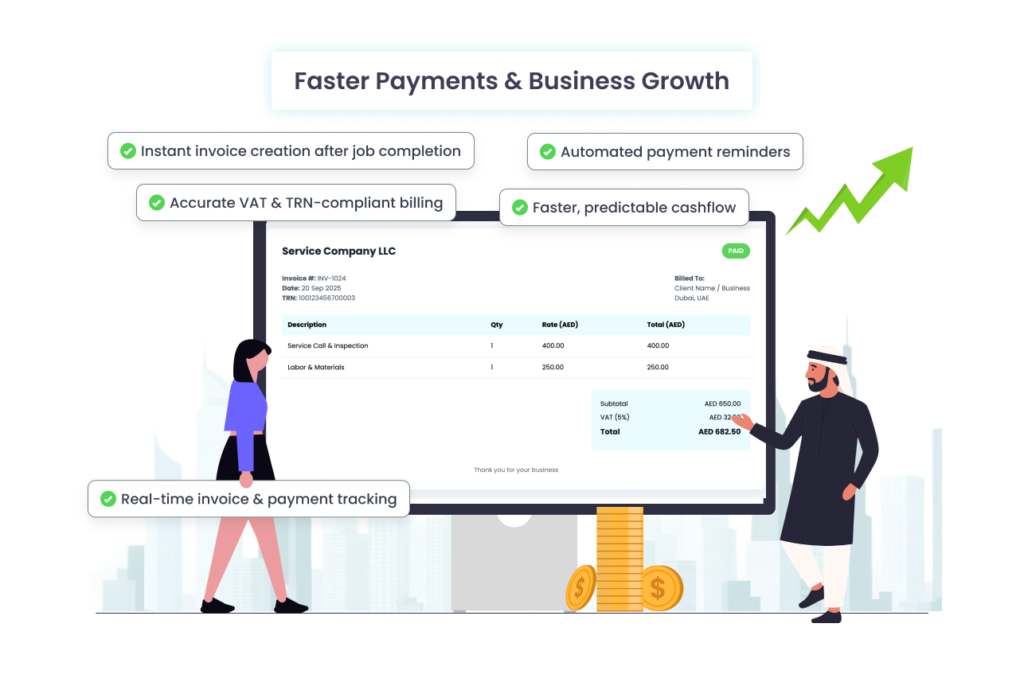
✔ Faster payments and improved cashflow
Businesses can reduce their average payment collection time from 30–60 days to 7–15 days, depending on industry.
✔ Lower administrative workload
Fewer hours spent on data entry, chasing payments, and correcting mistakes.
✔ Better financial visibility
Owners get clear insights into receivables and can make smarter decisions.
✔ Enhanced customer experience
Clients receive professional, clear, timely invoices and convenient payment methods.
✔ Reduced accounting costs
Automated records sync with accounting tools like QuickBooks, Zoho Books, and Tally, reducing manual work.
5. Industries in UAE That Benefit the Most
- HVAC & maintenance
- Construction
- Logistics
- Cleaning services
- Pest Control services
- Construction companies
- Lawncare & Landscape
- Plumbing
- Pool & Spa
Any business that sends regular invoices can benefit massively.
How EyeOnTask is a Strong Option for UAE SMEs?
EyeOnTask offers:
- Automated job-to-invoice conversion
- One-click payment links
- VAT-compliant invoices
- Recurring billing
- Mobile invoicing for field teams
- Automated reminders (AMC)
It is especially helpful for HVAC, maintenance, cleaning, and other field service companies in the UAE.
Bottom Line
Automated invoicing is no longer a luxury—it’s a necessity for UAE SMEs aiming to accelerate cashflow and stay competitive. By reducing errors, improving compliance, offering multiple payment methods, and eliminating manual delays, SMEs can get paid faster and focus on growth.
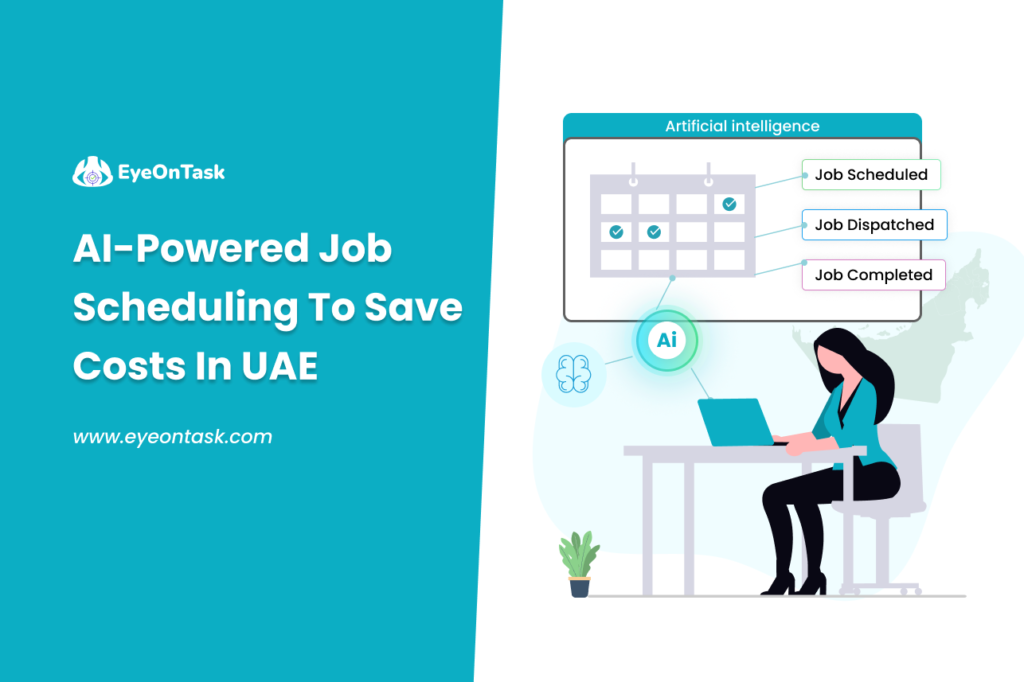
Businesses across the UAE—from construction and facilities management to logistics, field services, and manufacturing—are facing consistent pressure to operate more efficiently, reduce overheads, and deliver faster customer service. With rising operational costs and increasing service-level expectations, traditional scheduling methods no longer suffice.
This is where AI-powered job scheduling is transforming the UAE’s service and operations landscape.
Why AI-Driven Scheduling Matters in the UAE?
The UAE is positioned as a regional leader in digital transformation, backed by national strategies like the UAE 2031 Vision, Dubai’s Digital Strategy, and Abu Dhabi’s Smart City initiatives. As a result, companies are actively adopting automation to remain competitive.
AI-based job scheduling offers a direct opportunity to:
- Cut operational costs
- Reduce workforce idle time
- Improve SLA compliance
- Boost first-time fix rates
- Maximize resource utilization
- Enhance customer experience
In high-cost regions like Dubai and Abu Dhabi—where labor, fuel, and service delivery expenses add up quickly—AI scheduling delivers measurable ROI within months.
What Is AI-Powered Job Scheduling?
AI-powered job scheduling uses machine learning to automatically assign the right task to the right person at the right time based on:
- Technician availability
- Skills and certification
- Location and travel time
- Priority and job complexity
- Workload and shift patterns
- Predictive demand forecasting
Instead of managers manually planning schedules, AI continuously optimizes them in real time.
How AI Cuts Operational Costs in the UAE
1. Reduced Travel Time & Fuel Costs

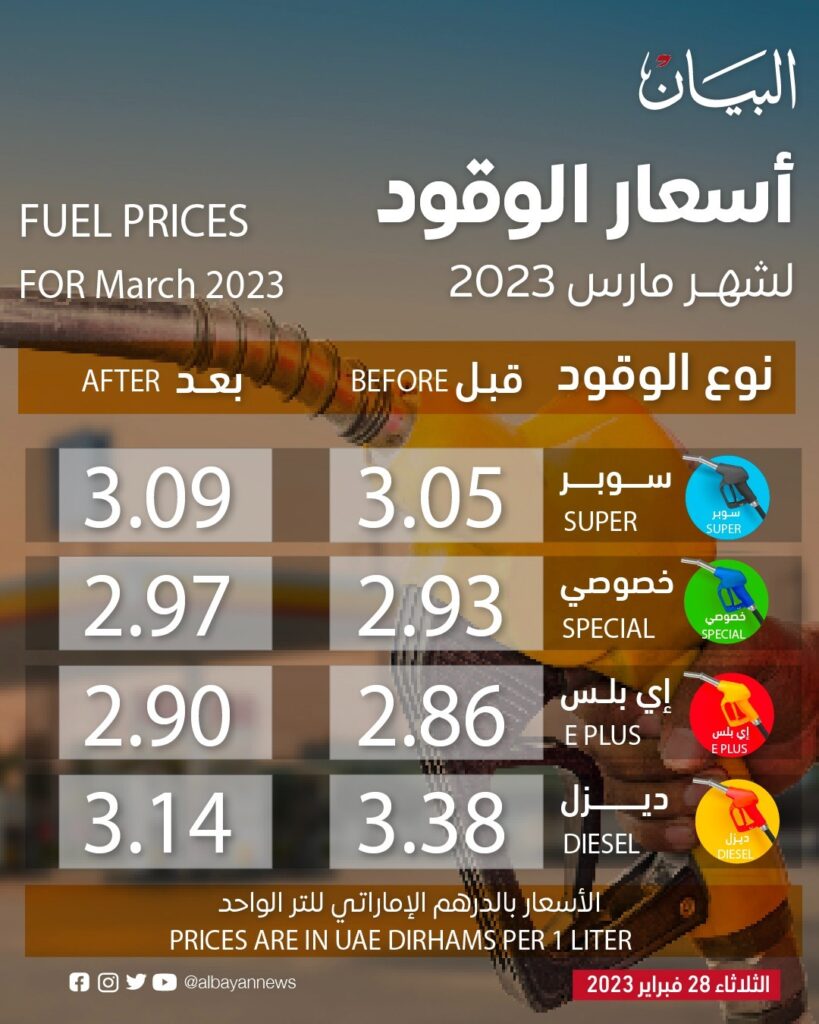
Fuel prices and inter-emirate travel add a significant chunk to operational budgets.
AI chooses the shortest routes, groups nearby jobs, and ensures minimal dead mileage.
Result:
Up to 25–40% reduction in travel costs.
2. Minimized Overtime & Idle Time
AI detects gaps in schedules, redistributes work, and prevents over-allocation.
Cost impact:
- Lower overtime payouts
- Higher task density per shift
- Better workload balancing for teams
This alone saves UAE service organizations thousands of dirhams each month.
3. Higher First-Time Fix Rates
By matching jobs with the right skills and equipment:
- Re-visits are reduced
- Customer dissatisfaction drops
- SLA breaches decrease
Companies using AI scheduling report 30–50% fewer repeat visits.
4. Automated Approvals & Real-Time Re-Scheduling
AI tools instantly adjust schedules during:
- Cancellations
- Emergency jobs
- Delays
- Traffic disruptions
In fast-moving environments like facility management or field services, this agility avoids downtime and unnecessary labor hours.
5. Improved Resource Utilization
AI ensures every technician, driver, or engineer is used to their highest capacity.
This leads to:
- More jobs completed per day
- Reduced need for extra hires
Better forecasting during peak seasons (Ramadan, Expo events, holidays)
Industries in the UAE Benefiting the Most
AI-powered job scheduling is especially effective in:
- Facilities management (FM)
- Logistics & deliveries
- Construction & contracting
- Telecom & utilities
- HVAC, MEP, and maintenance services
- Healthcare home services
- Security & manpower outsourcing
The common factor: All rely on mobile teams, on-site work, and tight deadlines.
Real UAE Example (Scenario)
A Dubai-based facilities management company manages 150+ daily service requests across 5 emirates.
Before AI:
- Manual scheduling took 3–4 hours
- High travel time between jobs
- Frequent SLA penalties
- 20% overtime every month
After AI scheduling:
- Scheduling time reduced to 15 minutes
- Technicians clustered by location
- Travel reduced by 38%
- SLA compliance increased to 97%
- Annual savings: AED 1.2 million
Top Features to Look for in an AI Scheduling Solution
When choosing a system for UAE operations, ensure it includes:
✔ Real-time AI optimization
Automatic adjustments to jobs & routes.
✔ Territory/route intelligence
Handles cross-emirate travel efficiently.
✔ Skill-based assignment
Ensures qualified technicians get the right jobs.
✔ Mobile app for field teams
For updates, checklists, attendance, photos, and signatures.
✔ Analytics & forecasting
Predicts workload, efficiency, and peak periods.
How Much Can UAE Companies Save? (Estimated Impact)
| Cost Area | Savings with AI |
| Travel & fuel | 25–40% |
| Overtime | 20–35% |
| Rescheduling time | 80–95% |
| Missed SLAs | 40–60% |
| Repeat visits | 30–50% |
Annual savings can range from AED 250,000 to AED 3 million, depending on company size.
The Future: Predictive, Autonomous Workflows
AI scheduling will evolve into:
- Fully autonomous dispatching
- Predictive maintenance scheduling
- Integration with IoT sensors
- Workforce skill forecasting
- Drone-based site assessments
Companies adopting AI today will have a massive competitive advantage by 2030.
Conclusion
AI-powered job scheduling is no longer optional for UAE businesses—it is a strategic cost-saving necessity. With rising service expectations and expanding operations across multiple emirates, organizations must embrace intelligent automation to remain profitable.
Tools like EyeOnTask make it easier than ever to reduce costs, improve workforce productivity, and deliver exceptional customer service.
Managing an HVAC business solely is troublesome. You need to track every single thing and make sure everything is streamlined. The hassle is real!!
Considering the digilent environment, the real-time loopholes and challenges in the HVAC are not hidden. The unrest desire for success in the HVAC industry is a perfect impetus for implementing innovative techstack resulting in better time management.
If you are struggling to get maximum productivity from your HVAC technician team and want to supercharge your HVAC businesses then this blog is for you!
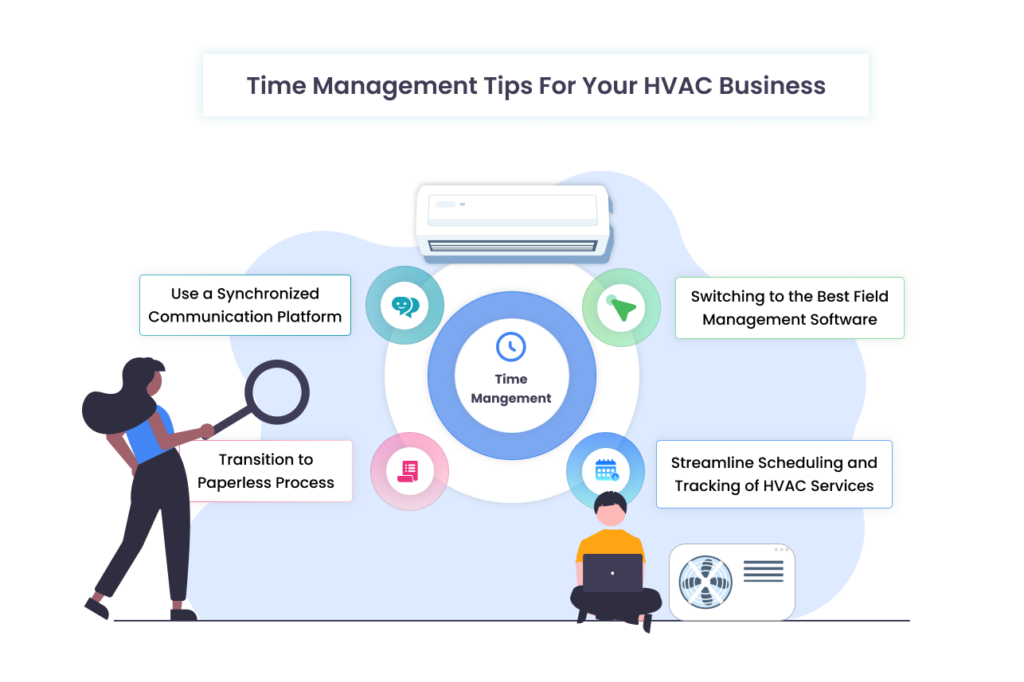
Switching to the Best Field Management Software
In the ever-changing world, technology is paramount for any HVAC business. A feature-rich HVAC software quipped scheduling, on-field quotes generation, customized invoices and reports offers significant benefits and saves precious time.
Service management software is a cornerstone of the HVAC industry. Choosing field service software helps HVAC businesses respond promptly, schedule more tasks, and streamline the process of getting a job done quickly.
Use a Synchronized Communication Platform
To run a successful HVAC business, communication is a must. By implementing a centralized communication platform, it facilitates seamless fieldworkers and back office teams to concentrate on core responsibilities and stay on the same page while doing the job.
According to some recent reports, miscommunication can cost upwards of 7.47 hours per week. That almost works out to 20% of a week’s total productivity. If you want to save time, you have to minimize the chances of poor communication and the delays or misconceptions it can create.
This not only eliminates the multiple communication channels, but also prevents information silos, and fosters a team-binding environment. While saving time, a centralized communication platform enhances team coordination, allowing HVAC businesses to respond quickly to all customer inquiries, and manage team activities.
Streamline Scheduling and Tracking of HVAC Services
Automating routine tasks for the workforce by streamlining daily appointments is a great way to save time. Minimize service calls, dispatch technicians, and record work progress using a job card.
This will boost productivity by up to 25% and deliver a quality experience to your end customers through fast and efficient service.
Transition to Paperless Process
The hassle in paper-based documentation processes is real. They are no longer affordable in the field service industry. The drawbacks including data insufficiencies, and data retrieval underscore the need for paperwork.
Adopting digital platforms for conducting work such as electronic signatures, sharing pictures, notes, invoices, quotes and more will save time and make teams redirected towards more value-added tasks.
This improves the service quality of your business and develops new coherent workflows.
Why Do You Need HVAC Software to Boost Your Productivity?
From installing to repairing and maintaining the heaters, Ventilation, and Air Conditioning, an HVAC business covers it all. To manage all operations within the HVAC service industry, require an HVAC software.
HVAC Software like EyeOnTask comes with cutting-edge technology and revolutionized the conventional way of managing business. With dedicated mobile apps for Android and iOS, the software is a cloud-based application which handles every operational task at your fingertips!
To avail more benefits of EyeOnTask to grow your HVAC business, start your FREE trial today and experience how we can help enhance your business.
If you found the blog informative, please share your views. Write to me- addie@eyeontask and follow us on LinkedIn, Twitter, Facebook and Pinterest.
Thank you 🙂
Have you ever thought that your HVAC business is missing something? That is something your competitors might be doing like sharing instant quotations/estimations, creating quick invoices, sharing job cards and whatnot!
What if I tell you that you can also cover with just a single click? Yes, you read right..!!! With HVAC software you can also achieve growth, profit and run your HVAC business smoothly. Let’s dive deep into and learn how HVAC field service software can help manage your business workflow.
What is HVAC Software?
HVAC stands for Heating, Ventilation and Air Condition. HVAC software or HVAC scheduling software streamlines the substantial amount of workflow of the HVAC business and manages the internal operations. HVAC field service businesses require multiple operations including job scheduling, dispatching field workers, receiving payments and more.
Problem with HVAC Business
Owning and managing an HVAC business has never been easy. Executing all the small businesses in HVAC is troublesome. Here are some of the common problems that HVAC companies while serving-
- Scheduling of Fieldworks and Equipment Management:
Handling HVAC scheduling manually is creating trouble for many HVAC field service businesses. An automated HVAC scheduling software instantly creates, assigns and dispatches fieldwork for the task. Equipment management is another big hurdle for HVAC companies. Checking the installation date, service due, warranty date may create inconvenience. Using reliable software for HVAC businesses uses barcode or QR codes and scan it whenever they want to fetch the details. It eases this manual hard work and leads to a streamlined workflow. - Changes in Miscommunication:
Relying on manual systems may lead to miscommunication. Without a proper communication channel between fieldworkers and the back office, it creates blunders sometimes. Having an inbuilt communication channel within HVAC software reduces misconceptions and runs the business flow more swiftly. - More Paperwork, More Hassles:
In the era of AI and advanced technology, handling papers is tough. Though complex spreadsheets are not working for HVAC businesses, they adversely affect productivity. With the help of automation, remote monitoring and paperless working in HVAC software, it saves a lot of time and energy.
How Does HVAC Scheduling Software Help Business?
The HVAC industry is very complicated and so is their workflow. Operating everything manually doesn’t help to solve their main issues like instant billing and invoicing, generating quick reports, job cards and more such tasks. HVAC software helps businesses in the following ways-
- Lowers the Costs:
Manual work needs manpower and they need money! As simple as that….! Choosing a trusted software for SMEs will eliminate the extra cost the HVAC organizations pay to execute daily business activities. It decreases the operational and maintenance costs of field service workflow by automating the process. - Increased ROI:
HVAC software enhances business performance and increases Return On Investment (ROI) with scheduling, remote access, and real-time monitoring systems. With limited financing, HVAC billing software boosts the HVAC business and makes it more profitable. - Easy Resource Allocation:
HVAC software equipped with tools that assign the nearest fieldworker to the job location. Your team will be better able to use the resources at their disposal to deliver outstanding customer service if they have more mobility. - Instant Billing and Invoicing:
HVAC billing software ensures that users generate instant invoices and bills. With HVAC software you can calculate multiple taxes and generate professional customized invoices, so you can stay compliant with laws. HVAC invoicing software provides multiple invoice templates, barcode-compatible billing and inventory management so that you can generate invoices in just one click. - Quick Payment Collection:
Collecting payments from clients is frustrating. Chasing them, and asking constantly for payment is tough. Software designed for HVAC helps businesses to receive payments faster by integrating with payment gateways like Stripe and PayPal. It makes it easy for the fieldworker to collect payment on the job location once the work is completed.
As we discussed earlier, managing an HVAC company and its workflow is not easy!!! Software for the HVAC industry is needed to automate the manual workflow. It not only makes it easier for the business owner to take full control over the operations but also get minute insight of the job since assigning till receiving payments and feedback. HVAC software helps companies to take part in the full work cycle of the job and generate instant reports and picture notes. Isn’t it exciting?
To make it easy for you we have created an intuitive list of the best HVAC scheduling software in the USA, UK, South Africa and Singapore. Here are the top 8 trusted HVAC field service software available, you can go through the list –
2. Jobber
3. EyeOnTask
4. FieldEdge
5. FieldAware
6. SimPro
7. mhelpdesk
You can choose any of the above-mentioned software for scheduling, quoting, billing & estimations, equipment management, expense management, lead/contract management and so on.
If you are willing to discuss more about the HVAC software, its features, pricing and functionality please write to me at addie@eyeontask.com.
I am open to any kind of queries, doubts and feedback.
Thank you!
🙂
In today’s interconnected world, industries ranging from Construction, HVAC and utilities to Pest Control & Cleaning rely heavily on field service workers to maintain and repair equipment, infrastructure, and machinery. The efficiency of these fieldworkers directly impacts customer satisfaction, operational costs, and, ultimately, a company’s ROI.
The everyday challenges faced by field technicians are diverse and often require promptness which can be made even more complex by remote work. This is where field service software comes into the picture, helping fieldworkers to work efficiently from anywhere.
The Rise of Field Service Software: From Manual to Marvelous
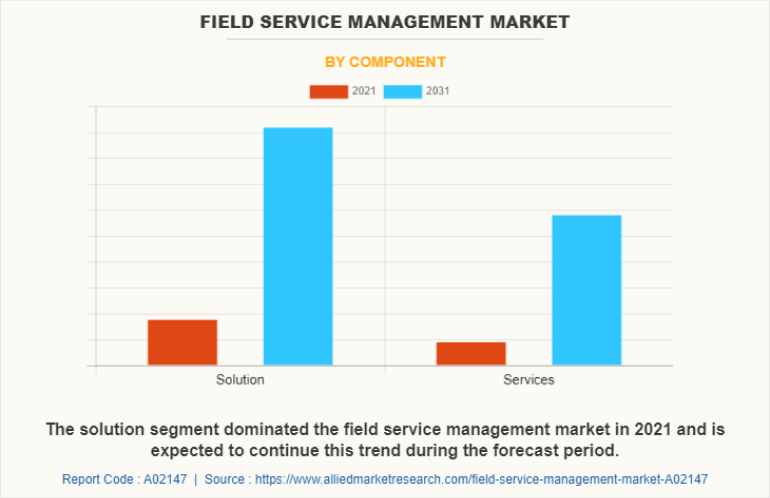
In recent years, especially after post COVID-19 Field service software has witnessed significant growth. Advancements in technology and a shift toward remote and mobile work, it has become a game-changer for field service management, offering tools and features that empower technicians to deliver top-notch service from any locationAccording to Field Service Management Market Research report, The global field service management market was valued at $5.2 billion in 2021, and is projected to reach $29.9 billion by 2031, growing at a CAGR of 19.2% from 2022 to 2031.
However, the landscape has shifted dramatically in recent years, and here’s how field service software has emerged as a game-changer:
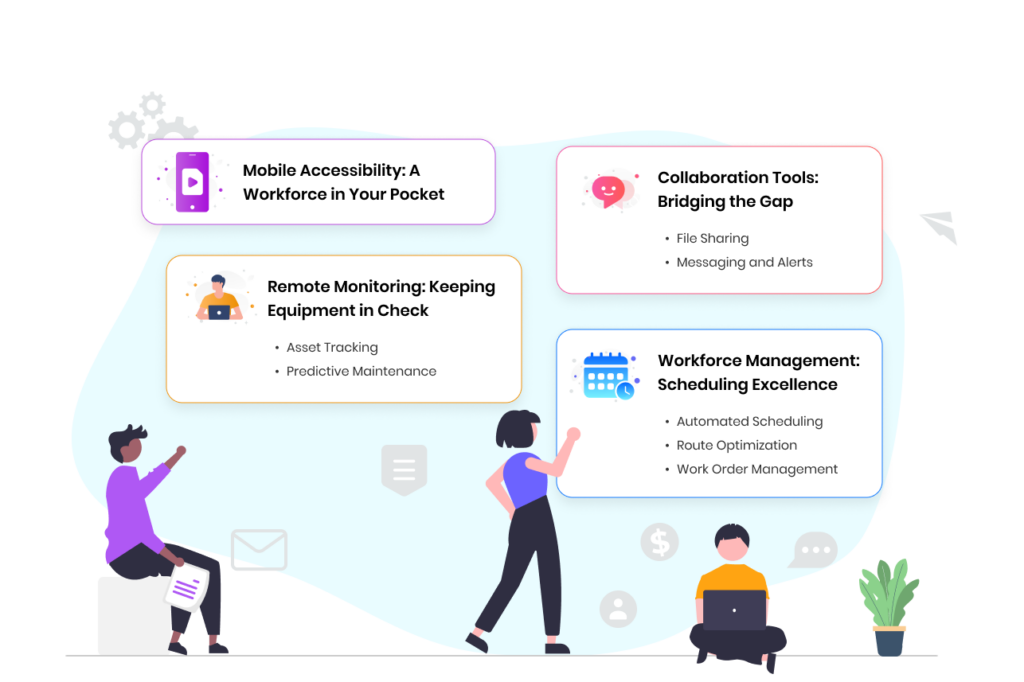
1. Mobile Accessibility: A Workforce in Your Pocket
Field service software is designed with mobility in mind. Both fieldworkers and head office can access the field service software through their smartphones or tablets, or web app ensuring they have up-to-date information, schedules, and work orders at their fingertips, regardless of their physical location. This mobile accessibility significantly boosts efficiency, time lags and fewer calls.
2. Remote Monitoring: Keeping Equipment in Check
One of the standout features of field service software is its ability for remote monitoring. Businesses can remotely track and manage equipment, assets, and systems in real-time. Here’s how remote monitoring tools work:
a. Asset Tracking: Field service software can monitor the status and performance of assets and equipment. Technicians receive automatic alerts when issues are detected, allowing them to proactively address problems before they escalate.
b. Predictive Maintenance: By analyzing historical data and patterns, the software can predict when equipment is likely to fail, by recording its installation date, its warranty date and maintenance check. Businesses can schedule maintenance tasks in advance, reducing downtime and costly repairs.
3. Collaboration Tools: Bridging the Gap
Efficient collaboration is vital for field service teams, especially when working remotely. Field service software offers several tools to facilitate seamless communication and teamwork:
a. File Sharing: Fieldworkers can share documents, manuals, schematics, and images with team members and customers. This is particularly helpful when troubleshooting problems or explaining repair processes.
b. Messaging and Alerts: The software often includes messaging and alerting features, allowing technicians to communicate with each other or receive important notifications in real-time so that all of the field employees and back office are well connected.
4. Workforce Management: Scheduling Excellence
Optimizing schedules and dispatching is another critical aspect of field service software that enhances efficiency:
a. Automated Scheduling: The software can automatically assign tasks based on technician availability, skills, and proximity to the job site. This minimizes travel time and ensures timely service.
b. Route Optimization: Fieldworkers can access optimized routes to reach their destinations quickly, reducing fuel consumption and travel costs.
c. Work Order Management: Field service software allows technicians to access detailed work orders, including customer information, service history, and task descriptions. This ensures they have all the necessary information to complete the job efficiently.
The Transformative Power of Field Service Software
Implementing field service software brings a host of benefits to both organizations and technicians:
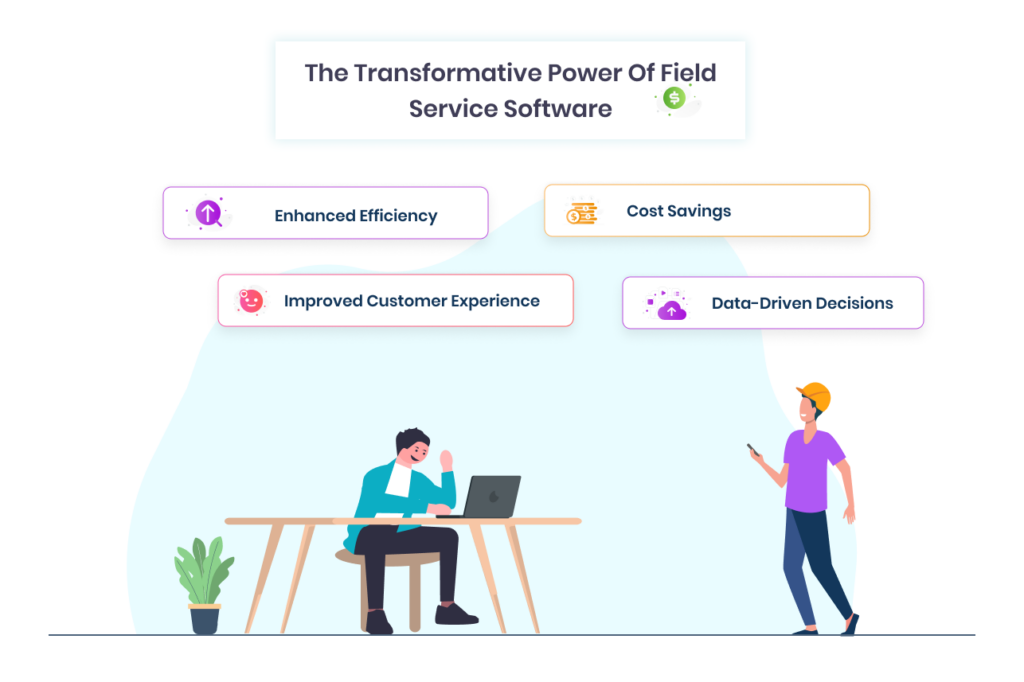
1. Enhanced Efficiency: Remote monitoring and collaboration tools help technicians diagnose and resolve issues faster, resulting in reduced downtime and higher customer satisfaction.
2. Cost Savings: Predictive maintenance and optimized scheduling reduce unnecessary maintenance expenses and travel costs.
3. Improved Customer Experience: Technicians equipped with field service software can provide a more personalized and efficient service, leading to higher customer satisfaction and loyalty.
4. Data-Driven Decisions: Real-time data and analytics enable organizations to make informed decisions about maintenance, resource allocation, and process improvement.Field service software has evolved into an indispensable tool for modern field service management. It organizes business workflows to work efficiently from anywhere. Organizations that invest in this technology gain a competitive edge by improving service quality, reducing costs, and adapting to the evolving business landscape. In an era where remote work is becoming increasingly prevalent, field service software is the linchpin for delivering exceptional service while keeping technicians connected, informed, and productive, regardless of their geographical location.
If you are also looking for a field service management software, come to us. EyeOnTask is the top-rated field service management software that simplifies field business operations just like that.
Book your free demo: https://www.eyeontask.com/registration.php
Email: support@eyeontask.com
Your business is the most important asset! Handling it manually is challenging.
You always end up juggling managing field workers and customer queries while ensuring that everything is going in order.
But what if I told you one tool can solve all your hassles? Yes, you read it right. Using a powerful field service software with a Zapier will automate the workflow by connecting the various apps.
Let’s dive deep into it and understand what is zapier!!!
What is Zapier and how does it automate the work process?
Zapier is an automating tool that syncs different apps like Xero, Spreadsheets, Gmail, Pipedrive, Quickbooks and more than 6000 applications. Using Zapier, you can link the field service software and automate tasks through customizable workflows known as “Zaps.”
Its ability to synchronize with multiple apps at the same time helps businesses to notify their team of new leads, invoices, and other field operations. It eliminates the necessity of entering double data, getting updates in real-time, and more.
Why Use Zapier for Field Service Management?
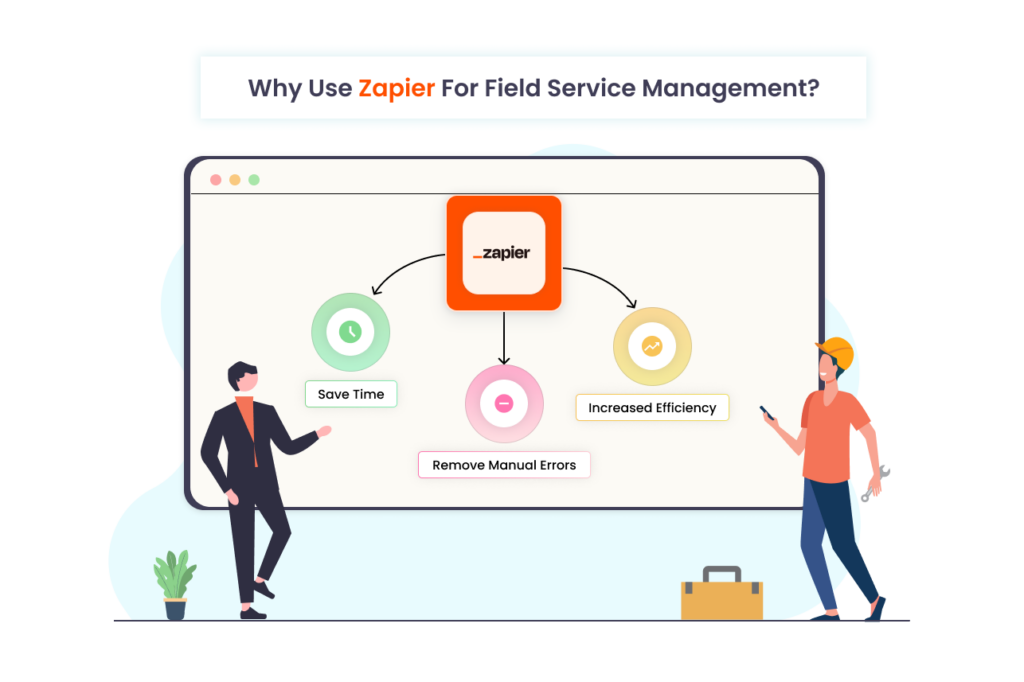
Remove Manual Errors: Automating the task through zapier will reduce the chances of human errors. This enables business owners to ensure that every task is accurately done.
Increased Efficiency: Zapier integration helps field service businesses focus more on meaningful responsibilities by abolishing mundane chores. This enhances business operations and overall productivity.
Save Time: Implementing automation with Zapier saves significant time for managing field businesses. Once it is synced with software the automation functions smoothly, requiring minimal monitoring.
Benefits of Using Zapier for Field Service Business
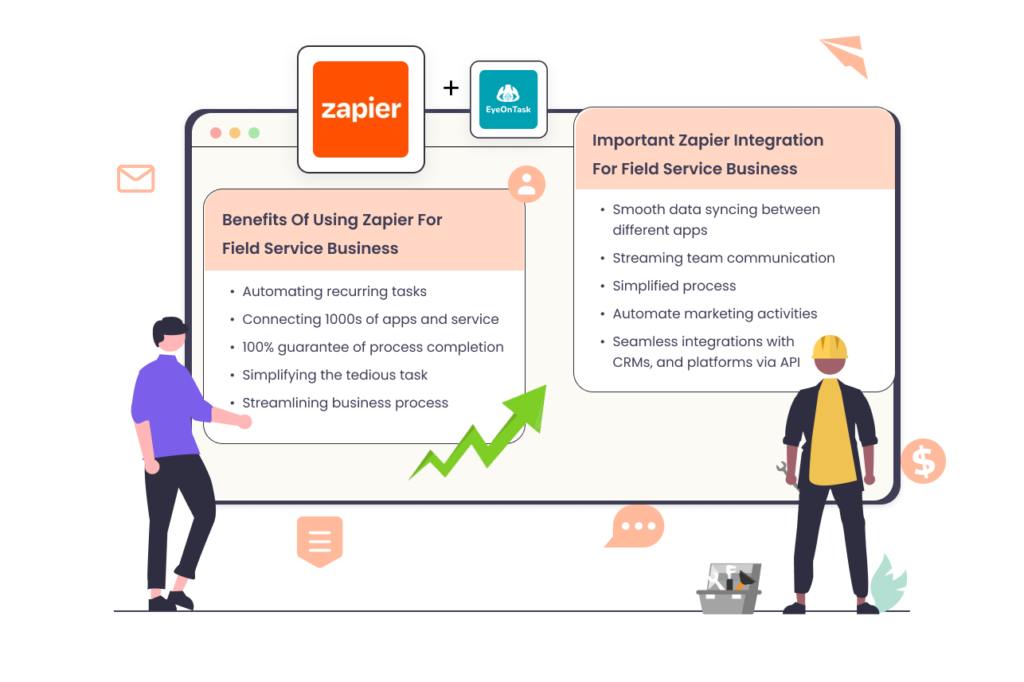
After synching zapier business experiences numerous advantages. Some of the perks are listed below-
-Automating recurring tasks
-Connecting 1000s of apps and service
-100% guarantee of process completion
-Simplifying the tedious task
-Streamlining business process
This integration has a dynamic impact on the field service workflow like sending regular emails, storing client data, and updating spreadsheets which results in increased efficiency, less error and saving time.
Important Zapier Integration for Field Service Business
As zapier offers numerous integrations that optimize various aspects of field service business. Some of them are-
-Smooth data syncing between different apps
-Streaming team communication
-Simplified process
-Automate marketing activities
-Seamless integrations with CRMs, and platforms via API
Final Words
Zapier has all the potential to revolutionize the various aspects of any business and the field business industry is no exception. From team collaboration to marketing activities, zapier harnesses the business workflow. It reduces errors, enhances productivity, saves time and resources and helps businesses to continue to evolve.
If you are also owning a field service business and want to unlock the full potential and stay ahead of the competition, try EyeOnTask.
EyeOnTask is integrated with zapier which helps businesses to seamlessly sync with various platforms and embrace the power of automation.
To book a Free trial click here
And if you have any questions, suggestions or feedback, please write to me-
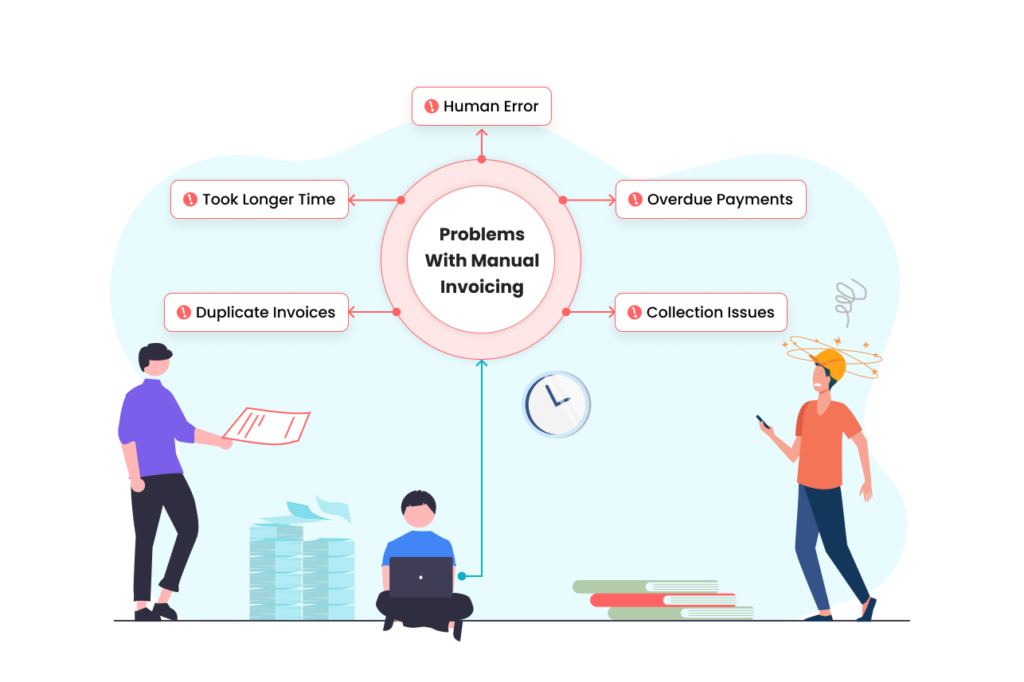
In the ever changing universe of field service business, productivity is a must. This is one of the major areas where traditional field service business lag. These conventional invoicing processes may lead to tedious time processes, delayed invoicing sharing to clients, chances of human errors, and reflect overall productivity.
This is where a need for invoicing software was introduced. This invoicing process eliminates the bottlenecks and increases business capacity with receiving early or partial payments, avoiding late payments, and the hassle of creating time consuming duplicate invoices which helps in building better customer relationships. An integrated invoicing feature with field service software solves the business hassleness and boosts productivity. Here’s how-
Problems with Manual Invoicing
How Does Field Service Invoicing Software Help?
A survey suggested that using invoicing software business will reduce by 80%.
This invoicing and billing software works in three steps.
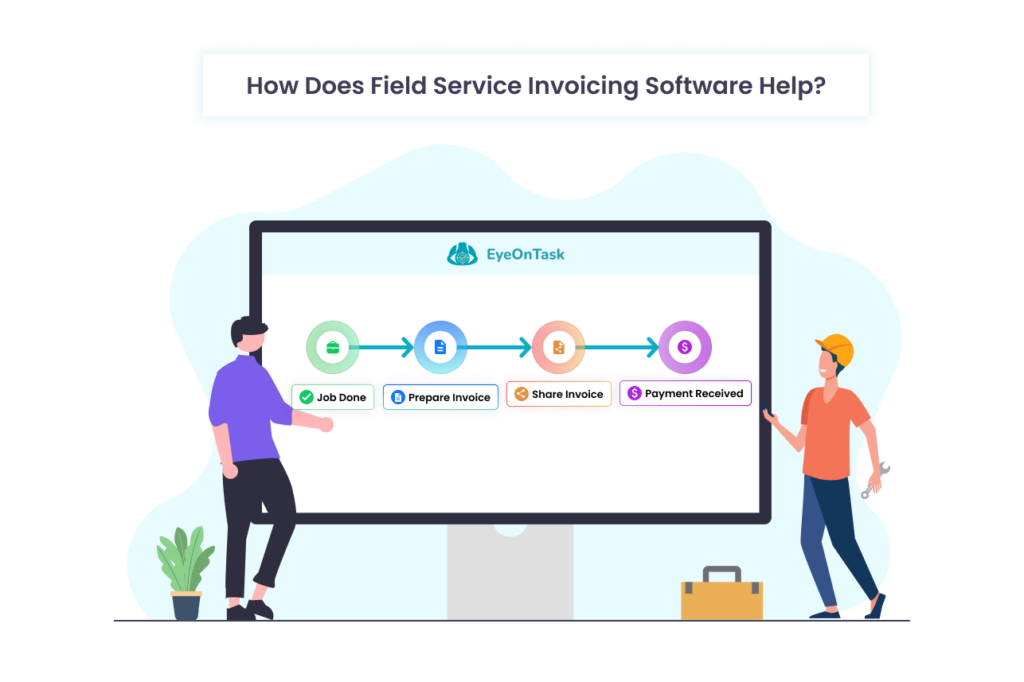
Simply accomplish a job, share invoices with clients and receive payments instantly without any delays.
Advantages of automatic invoice processing
An organized field service management software helps in streamlining the invoicing process by tracking payments, generating recurring invoices and managing customer information. Let’s discuss some of its perk-
1. Offers More Efficiency and Accuracy: Automated invoicing processes helps field service business to enable users to access data directly from the invoices and share the information to accounts payable in real time. This invoicing procedure makes tax and other calculations easy and accurate without any error.
2. Lower Operational Expenses: eInvoicing is a digital evolution! It takes field service business to another tangent and slash operational expenditure. By excluding paper printed invoices and its mailing cost, businesses can save a lot of time and money. This little contribution reflects a significant cost-saving especially for small and mid-sized businesses.
3. Streamlined Bulk Invoicing: Sending multiple invoices to the same client is really very tedious. With automated recurring invoicing software business can improve cash flow and receive timely payments. With field service invoicing software, you can automate the invoicing patterns and free your team to concentrate on important tasks.
4. Better Customer Experience: Customer is the king! A faster invoicing process builds a great business-customer relation. Using an automated billing invoicing software offers error-free passing of supplier/vendor invoices that improves the company’s reputation and also provides potential competitive advantages.
5. Share Customized Invoices: A field service invoicing software helps users to create alluring invoices. The personalized invoices allows business owners to add company name, logo and other information, which reflects your brand.
How EyeOnTask Field Service Software Helps in a Better Invoicing Process?
EyeOnTask has a numeros features that helps field businesses to offer coherent services, and e invoicing is one of them. The inbuilt invoicing software, helps businesses to share invoices in one go, convert items to equipment, set recurring patterns, pre-built invoicing templates and more.
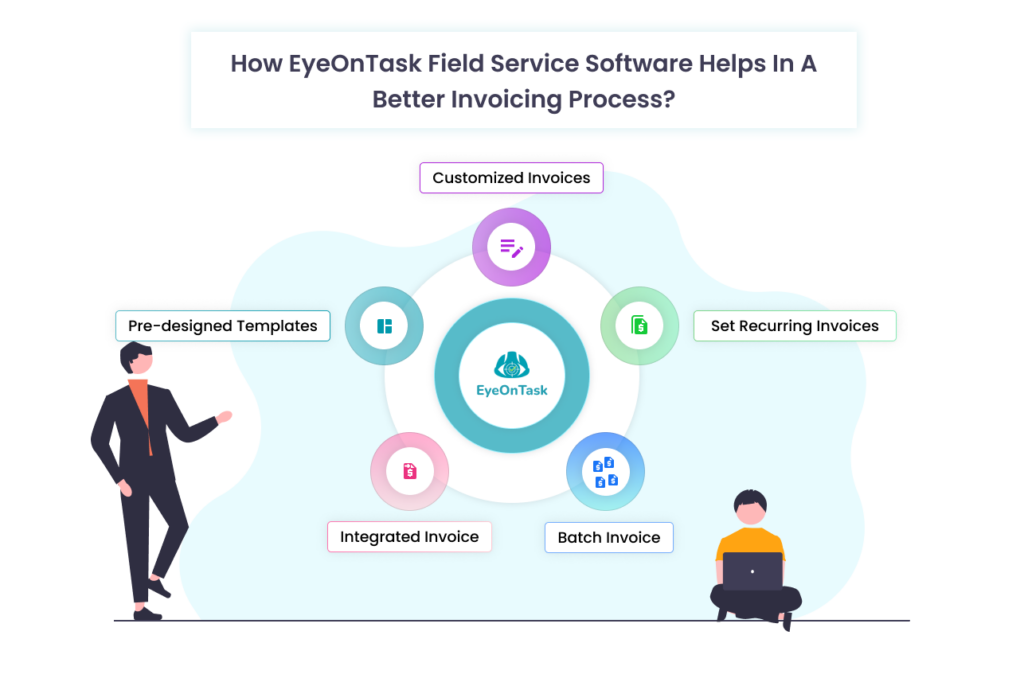
If you are also looking for a customisable solution for your business contact us today! We are here to help you 24/7.
For further communication drop a mail – addie@eyeontask.com
Thank you for your time
🙂
No matter which industry you belong to, scheduling, dispatching, and managing field technicians has always been challenging! Fieldwork dispatching or resource allocation is a complex process that consumes a lot of time, may be prone to errors and even lead to misconceptions. In a recent article by McKinsey & Company, they stated “Optimizing schedules is one of the most challenging of all optimization problems.”
Primary Challenges Field Service Business Encounters
Handling field operations is always a nightmare for field services business and when it comes to job scheduling and dispatching field technicians, they face horrible obstacles!
Let’s discuss some of the common yet important hurdles–
1. Delay in Scheduling Jobs: Manual processes often hinder scheduling jobs in real time. Due to the tech limitations, it became tough and tiring to schedule any job and take quick action against the request. This increases the deprivation time and eventually slows down the process.
2. Struggling in Dispatching Fieldworkers: Handling remote staff creates chaos! Businesses that work with fieldworkers experience inflexible schedules, and difficulties assigning skillful and nearest fieldworkers and accomplishing work orders in the shortest time.
3. Lacking Real-Time Control: The back office team feels FOMO while directing the remote workers. Not having enough details about the job, location of the fieldworker, time travelled and on-site hassles feels like sitting idle with folded hands. With manual processes, both teams can’t sync on one page.
Perks of Having Service Scheduling Software
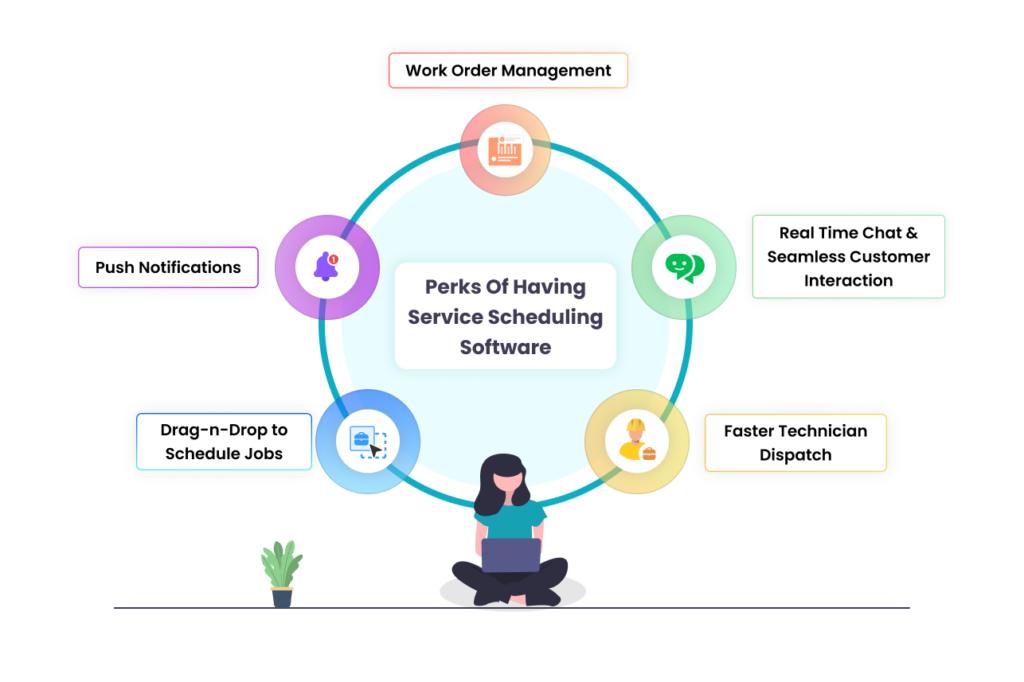
On-demand tech revolutionized the field service industry. A study found that almost 52% of businesses still use manual approaches for their work, but the market for service scheduling software is rapidly increasing. A comprehensive service dispatcher software is a combination of all the below-mentioned features-
1. Drag-n-Drop to Schedule Jobs: A complete software for field service business designed to ease down the job scheduling process by simply dragging the dropping the jobs. Service scheduling software uses a Graphical User Interface (GUI) which makes it easier for the team to view all the details including assigned jobs, pending work, availability of the field workers and equipment.
2. Push Notifications: Automatic reminders or alerts through a software keep the field technicians updated about any job event, or upcoming service dates and send notifications for routine tasks. This also reduces the chances of human errors in booking field workers as all these can be done through a mobile app.
3. Work Order Management: Get full control over the work order management lifecycle.
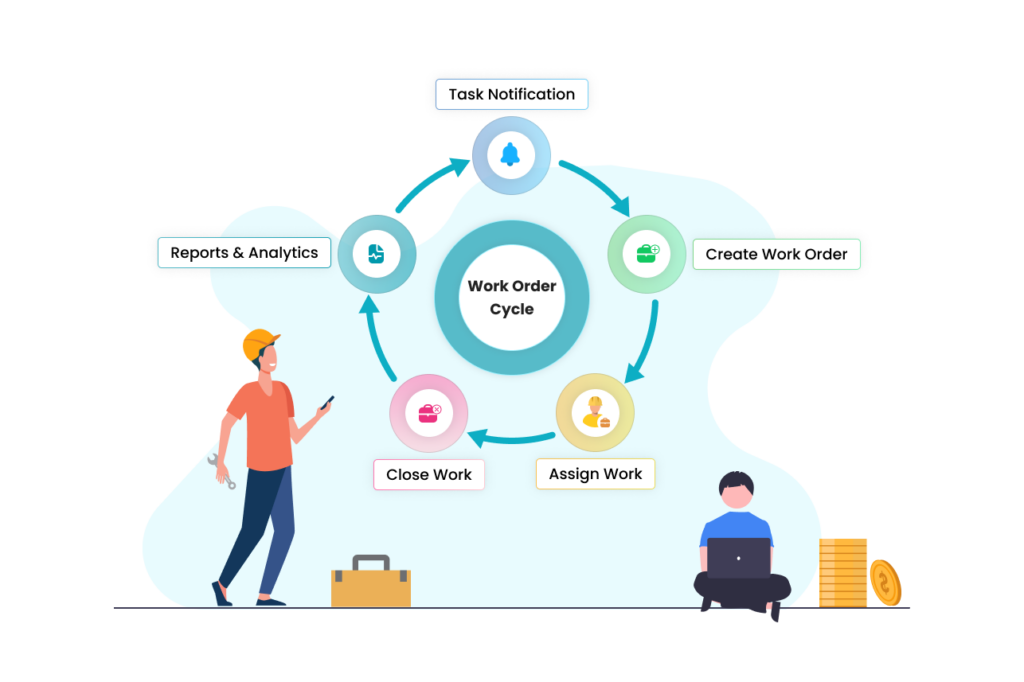
Gain all information including job engagement time, arrival time and simply job schedule and ad-hoc assignments.
4. Faster Technician Dispatch: The key part of any field service business is the dispatching of technicians. To speed up the dispatching process a service scheduling software automates the field technician management by making instant decisions of available data.
5. Real Time Chat: A seamless chatting platform allows fieldworkers to stay at the same page with the back office. It also improves customer satisfaction as everyone is connected through a communication channel.
How does EyeOnTask job scheduling software help in achieving business goals?
EyeOnTask helps field industries to control all the business processes at their fingertips. With an easy-to-use interface users easily manage workflow and provide end-to-end transparency.
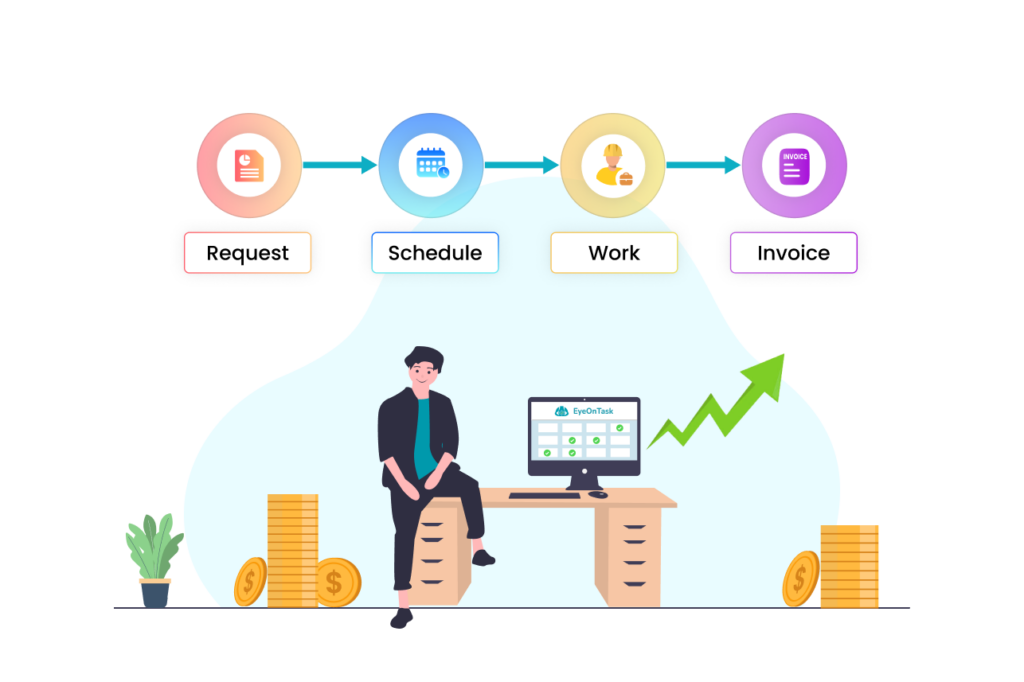
This simplified model eliminates unnecessary steps that are required to accomplish any job and offers convenience, clarity, and coordination.
Final Words
Job Dispatching and scheduling software for field service business makes business operations faster, and easier and helps to make quick decisions on the field.
If you are searching for scheduling software for a field service business, EyeOnTask offers a premium solution. With numerous features, eyeontask offers customization, great customer support and all that at pocket-friendly rates. Register yourself today!
 EyeOnTask